AI Order Processing Is Not OCR
Most manufacturers have tried OCR for order processing. Most have gone back to manual entry. Understanding why matters because it explains what AI can now do that OCR never could.
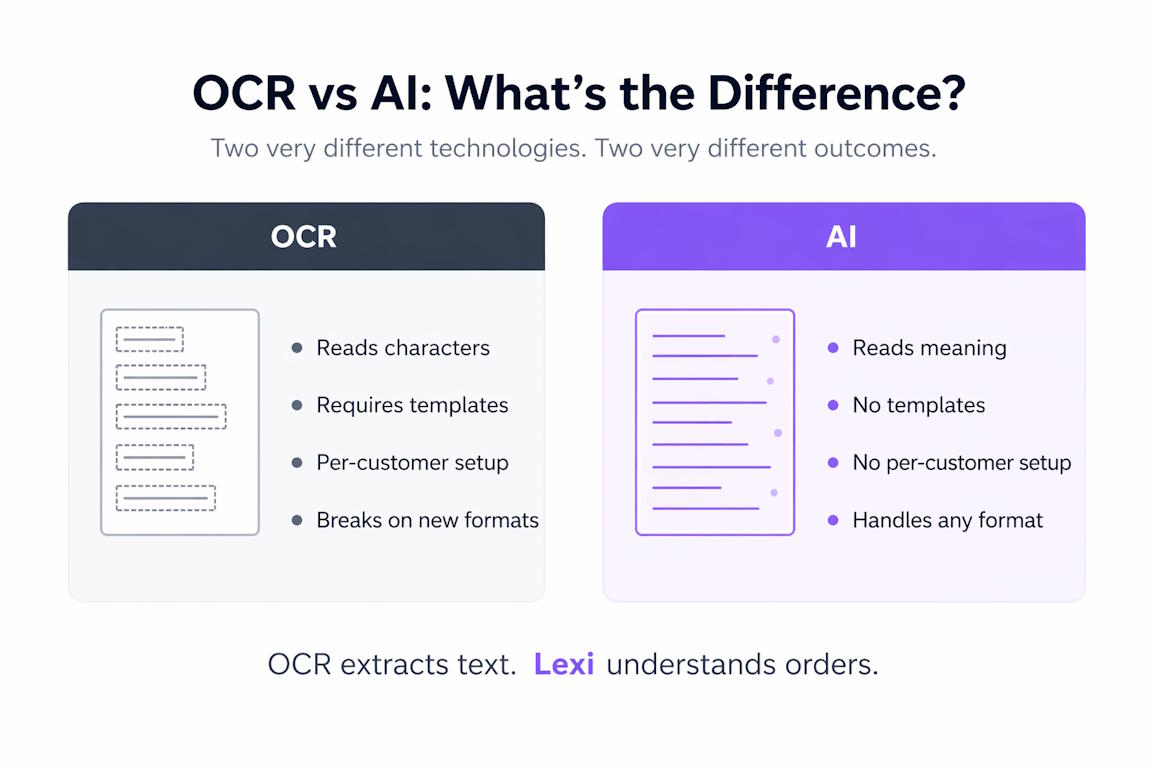
Most manufacturers have tried OCR at some point. Five or ten years ago, it was the obvious answer to automating order entry. Scan the document, extract the text, push it into the ERP. The pitch was compelling. The reality was not.
Most of those projects ended the same way. Partial success on templated documents, fallback to manual entry for everything else, and a team that learned to be sceptical of any tool that promised to automate order processing.
That scepticism is well-earned. It is also the main reason manufacturers underestimate what modern AI can actually do. The default assumption is "we have seen this before." But OCR and AI order processing are solving fundamentally different problems, and the distinction matters.
What OCR actually does
OCR — optical character recognition — converts an image of text into machine-readable text. That is the whole job. It looks at pixels, identifies characters, and outputs a string.
For a fixed-layout document where the purchase order number is always in the top right corner, and the customer reference always appears in a box labelled "Customer Ref," OCR works well. It is reliable, fast, and cheap.
The problem is that almost no real-world order document looks like that consistently. Customer A's PO has the reference in the header. Customer B's has it in the email body. Customer C has no reference at all, just "same as last time, plus twenty of the blue ones." OCR has no way to handle any of this beyond the first case. It reads text. It does not understand what the text means.
The standard workaround has always been templates. Configure a template per customer, map the fields, retrain whenever the customer changes their document. This works at low customer volumes and breaks down completely at high ones. For a manufacturer with hundreds of customers, the template maintenance burden quickly exceeds the cost of simply processing the orders manually.
What AI order processing does differently
Modern AI order processing does not rely on layout recognition. It reads the document the way a person reads it — by understanding the content.
It does not matter whether the customer reference is in the header, the body, the subject line, or written on a PDF attachment. It does not matter whether the part is described by code, by description, or by reference to a previous order. The AI interprets what the customer is asking for, matches it against the catalogue, and produces structured order data. No template is required. No per-customer configuration is required. A new customer sending their first order in a format that has never been seen before is handled exactly the same way as a customer processed for ten years.
This is the capability OCR never had, and it is what has changed over the past few years. The underlying language models can now interpret varied, unstructured business documents at a level that was simply not possible before. That is not a marketing claim — it is why AI order processing is deployable where OCR was not.
Why the distinction matters for the buying decision
Manufacturers evaluating order automation for the first time in a while tend to make one of two assumptions. Either "we tried OCR, it did not work, it still will not work," or "AI is just the new name for OCR, so the same limits apply."
Both are wrong, and both lead to the wrong decision.
The right question is not whether AI-based order processing works in principle — the answer is yes, and it is already running in production at scale. The right question is whether the specific tool being evaluated handles the realities of the business: the document variety, the deployment model, the integration with the existing ERP, and the human review process for anything ambiguous.
Those are the practical differentiators. The underlying technology question was settled when language models became good enough to read unstructured documents accurately. What remains is whether the product wrapped around that technology has been built for the actual environment it needs to operate in.
Lexi was built for that environment
Lexi does not require per-customer templates, document training, or format configuration. It reads emails, PDFs, attachments, and scanned documents regardless of layout, matches the content against the customer's ERP catalogue, and creates the order in Epicor Kinetic for human review. Every order is checked, and anything ambiguous is flagged.
That is not OCR with a different label. It is a different approach to the same problem, and it is why the results are different too.